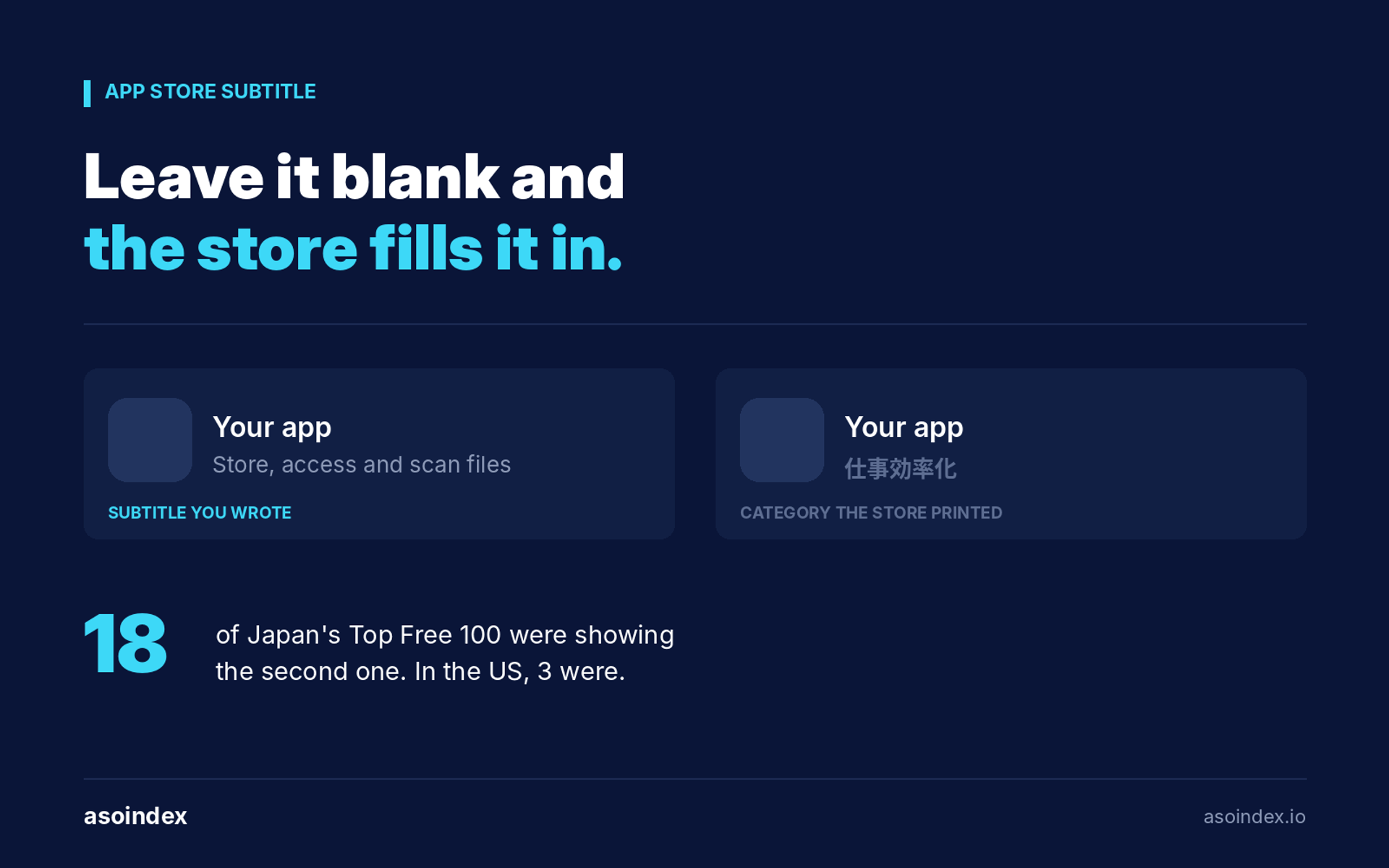
What should you put in your App Store subtitle? One feature or one typical use, written in the language of the storefront you are listing in. What you should not leave there is nothing. The slot never stays empty: when there is no subtitle, the App Store prints your category name in its place. On 19 November 2026, 18 of the 100 apps on Japan's Top Free iPhone chart were showing exactly that. In the US Top Free 100 the same day, 3 were.
Think of the title as the hero and the subtitle as the sidekick. Leaving it blank does not send the hero out alone. It sends them out with a stand-in the store picked: ユーティリティ, 写真/ビデオ, 仕事効率化.
What the subtitle actually does
Apple describes the subtitle as a line of up to 30 characters that “appears below your app’s name throughout the App Store”, and asks developers to use it to highlight features or typical uses rather than generic claims (Apple Developer, Creating your product page, accessed 2026-11-26).
Two things follow from Apple’s own documentation.
It is a ranking input. On its search page Apple writes that results are based on “text relevance (matches for your app’s title, subtitle, keywords, and primary category), as well as user behavior (downloads, ratings)”. The subtitle is named in that list (Apple Developer, App Store search, accessed 2026-11-26).
It feeds the tags Apple generates. The same page says search results may show app tags, “generated using large language models (LLMs) based on the metadata you’ve provided in App Store Connect”. The subtitle is part of that metadata. A line filled with your category name gives that generator nothing it did not already have.
Outside Apple, the ASO analytics firm Appfigures has published teardowns arguing that the store reads name, subtitle and keyword list in that order of weight, with earlier words counting for more (Appfigures, Keyword Teardowns, 2021). That is third-party reverse engineering of a system Apple does not document, so treat it as a working theory rather than a rule. Apple’s own sentence is the part you can rely on.
How often the line sits empty
We pulled Apple’s Top Free 100 iPhone charts for Japan, Korea and the US at 17:12 UTC on 19 November 2026 and opened all 300 product pages in their own storefronts. Where the line under the app name exactly matched one of the app’s own category names, we counted the subtitle as blank. In all 36 of those cases the page’s underlying data carried the category name in the subtitle field too, so this is the text users see, not a rendering quirk.
| Storefront | Category name in the subtitle slot | Of those, ranked 1–10 | Of those, ranked 1–50 |
|---|---|---|---|
| Japan | 18 of 100 | 2 | 12 |
| Korea | 15 of 100 | 1 | 8 |
| United States | 3 of 100 | 1 | 1 |
asoindex, Apple RSS Top Free 100 plus App Store product pages, 19 November 2026, 17:12 UTC.
Japan leaves the line to the store six times as often as the US does. Korea sits close to Japan. This is one day’s snapshot of three charts, and we counted what the listings show, not what they earn.
These are not all small apps. Two of Japan’s 18 sit in the top ten and 12 sit in the top 50, so a blank subtitle plainly does not keep an app off the chart.
The same app answers differently by country
Twenty-six apps appear on both Japan’s and the US Top Free 100 on that date. Twenty-three handle the subtitle the same way in both. Three write one for American users and leave the Japanese line to the category name.
| App | Line under the name, Japan | Line under the name, US |
|---|---|---|
| 写真/ビデオ (category) | Videos, creators & friends | |
| Google Drive | 仕事効率化 (category) | Store, access and scan files |
| Microsoft Authenticator | 仕事効率化 (category) | Protects your online identity |
asoindex, App Store JP and US product pages, 19 November 2026.
None of the 16 apps shared between Japan’s and Korea’s charts differed this way. The gap appears between the English listing and the Japanese one.
That is the practical point. For three of the best-known apps on the chart, a subtitle that exists in one storefront does not appear in another. A listing checked only in English tells you nothing about what a Japanese user sees under your name.
Who leaves it blank
Of Japan’s 18, eleven are apps for a physical business: a shop, a restaurant chain, a clinic, a transit card. For those, the app name is the brand and the brand is the whole pitch, so the line reads as a smaller loss.
The other seven are not: two authenticator apps, a cloud storage app, a photo and video app, a carrier calling app, an event-ticket app and a new social app. Google Authenticator leaves it blank in all three storefronts, showing ユーティリティ, 유틸리티 and Utilities.
What to write in the 30 characters
Name one feature or one use, not a claim. Apple’s guidance asks for features or typical uses. “Store, access and scan files” is a use. “The best file app” is a claim.
Write it in the words people search in that country. The subtitle is matched against search text, so the value is in using the terms a local searcher types, not a translation of your English line.
Leave your category out. The category is already indexed as its own relevance signal. Spending the slot on it repeats a word the store has anyway.
Do not repeat subtitle words in the keyword field. Apple asks you not to duplicate words across those fields, so the 30 characters and the 100-byte keyword field should carry different terms.
Treat it as a release task. Apple lets you change the subtitle only when you submit a new version, so it belongs on the build checklist rather than in a listing-only update.
What to change in your listing
Open your product page in every storefront you target, on the web or on a device set to that country, and read the line under your app name. If it shows your category, you have no subtitle there.
Check each language you list in, including the one you rarely look at. Three of the apps above are proof that one country’s answer does not carry to another.
Add a column to your competitive-set benchmark for each storefront: subtitle, or category name. Where a competitor shows only a category, your one line is the only one of the two telling a searching user what the app does.
Sources
Apple Developer, “App Store search” (text relevance includes title, subtitle, keywords and primary category; app tags generated by LLMs from App Store Connect metadata). Accessed 2026-11-26.
Apple Developer, “Creating your product page” (subtitle up to 30 characters, appears below the app name, changed with a new version). Accessed 2026-11-26.
Apple, RSS Generator: Top Free Apps, iPhone, top 100, Japan, Korea and the US. Retrieved 2026-11-19 17:12 UTC.
Apple, iTunes Search API (Lookup), country jp, kr and us, for app categories. Retrieved 2026-11-19.
Appfigures, Keyword Teardowns, “To Subtitle or Not to Subtitle?” (2021). Third-party analysis of an undocumented system.